
How to create a daily cash register closing, step by step
In Germany, a proper daily cash register closing is part of the legally required, TSE-compliant record-keeping. It shows that the recorded cash balance matches actual income and expenses - and it's one of the first things checked during a tax audit.
Step 1: Open the register with starting cash
The day begins with the starting cash - the cash balance the register opens with. In Kassenübersicht Online, this amount is automatically carried over from the previous day's closing, so it doesn't need to be manually recalculated every morning.
Step 2: Record expenses throughout the day
Every cash expense - from stock purchases to small amounts - is recorded individually instead of being reconstructed from memory at the end of the day. This makes the evening closing significantly faster and more accurate.
Step 3: Record the TSE and card totals
At the end of the day, the TSE total (the overall revenue logged by the Technical Security Device) is recorded together with the card total (card and other cashless payments). Kassenübersicht Online automatically compares these figures with the recorded expenses and starting cash.
Step 4: Review and export the closing
Once all figures match, the day is closed as a report - available as a PDF or sent directly by email to your bookkeeping team or tax advisor. The starting cash for the next day is calculated and carried over automatically.
Even easier: the closing assistant
With the closing assistant, these steps become a guided sequence on your staff's phone. The assistant checks every entry instantly: a forgotten comma, a missing TSE number or an expense without a receipt is caught before the day is closed. This is what the steps look like:
The daily closing that lets no mistake slip through
Your staff are guided through the register closing step by step on their phone. Every entry is checked instantly, and the assistant says in plain words what is still missing. No training, no paperwork.
-
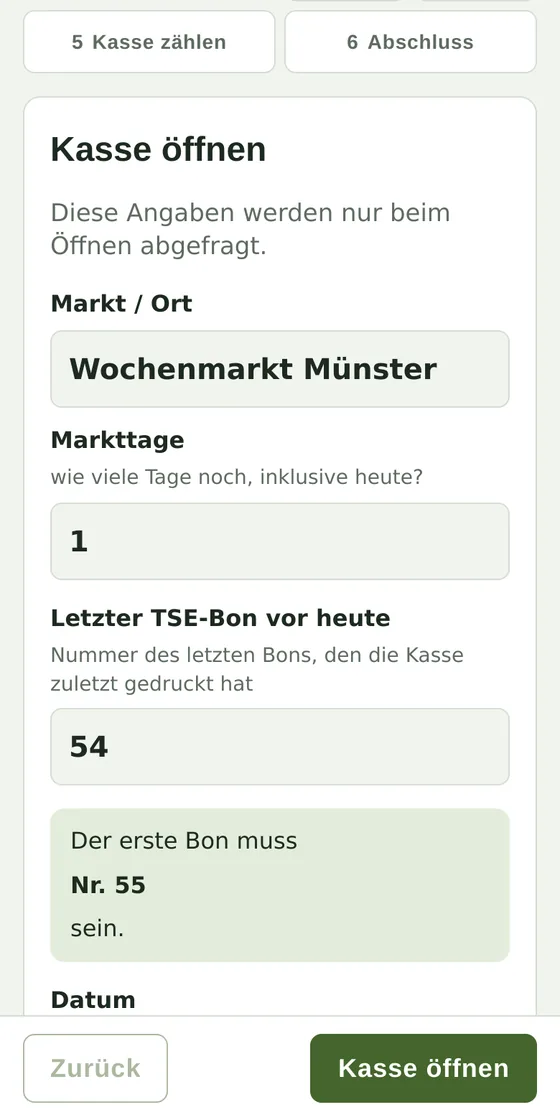
1Open the register
Market, starting cash and last TSE number: once per market.
-
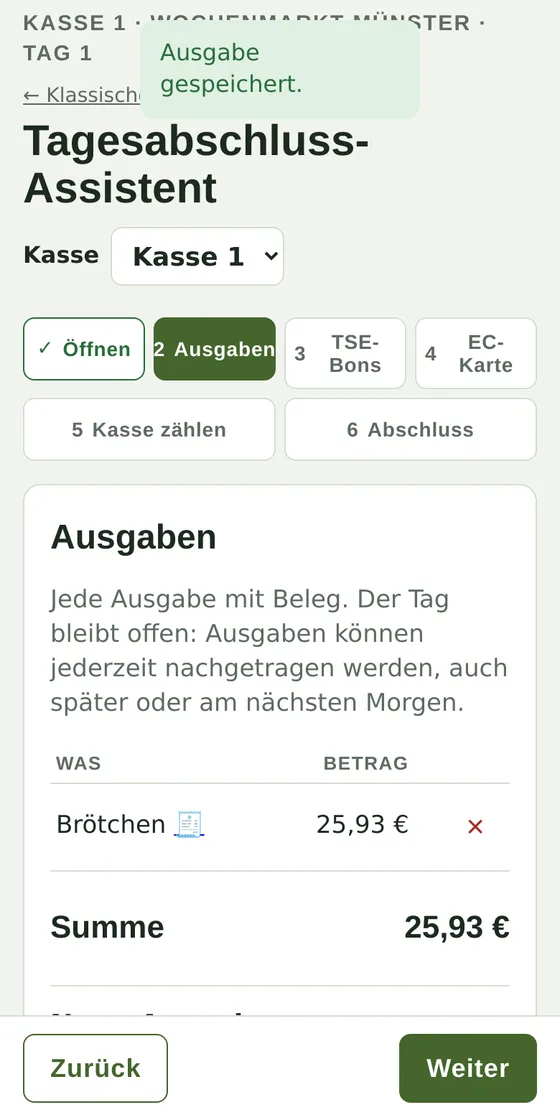
2Expenses with photo
Every expense needs a receipt photo. Add more any time.
-
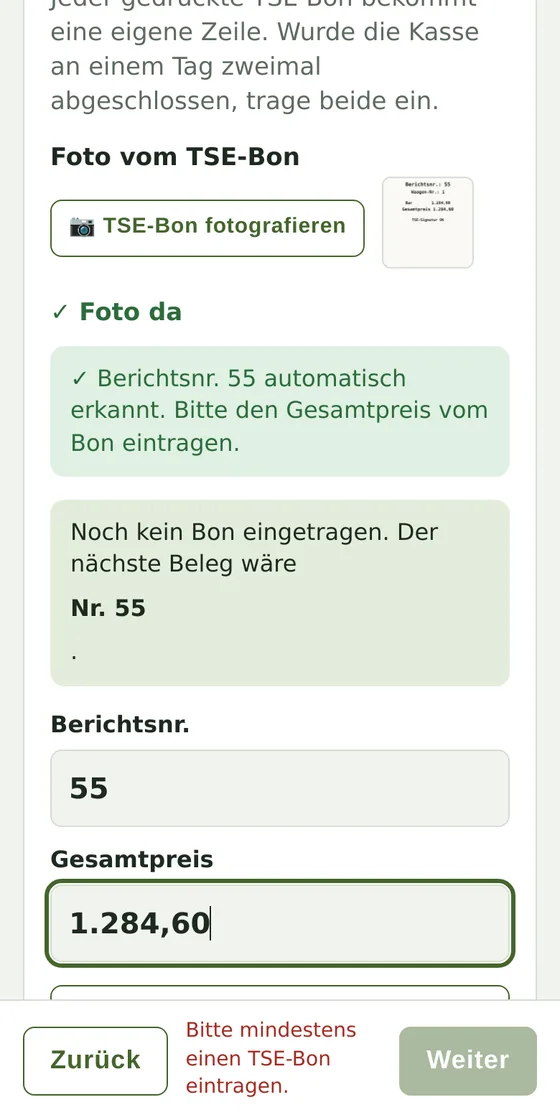
3Snap the TSE receipt
The report number is read from the photo automatically.
-
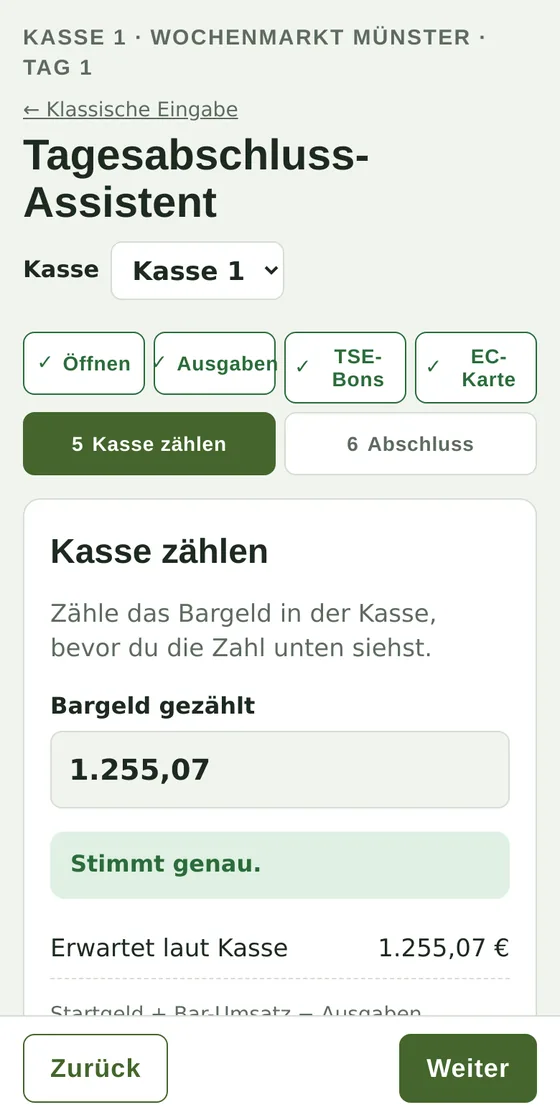
4Count the cash
Count first, then compare: you see at once whether it matches.
-
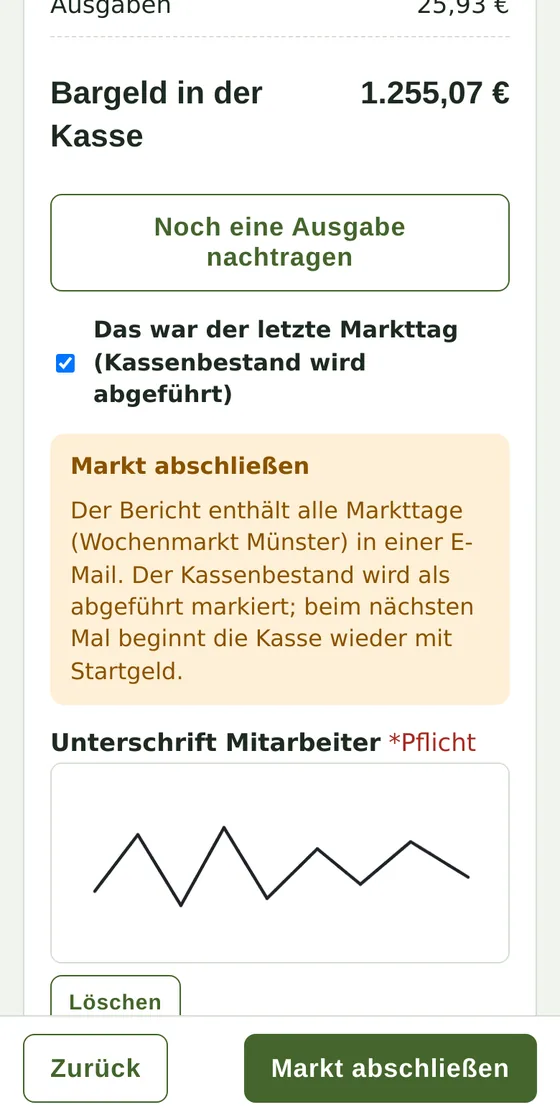
5Review & sign
Everything at a glance, signature right on the screen.
-
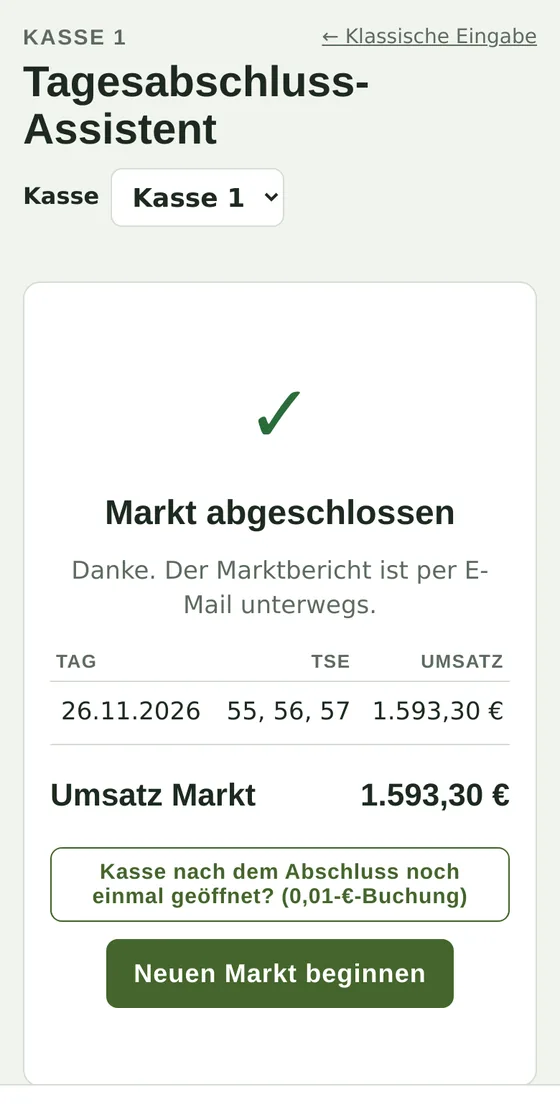
6Done
The report is emailed to your bookkeeping automatically.
← swipe to see all steps →
What can no longer go wrong
The assistant knows the typical closing mistakes and catches them before they reach your bookkeeping.
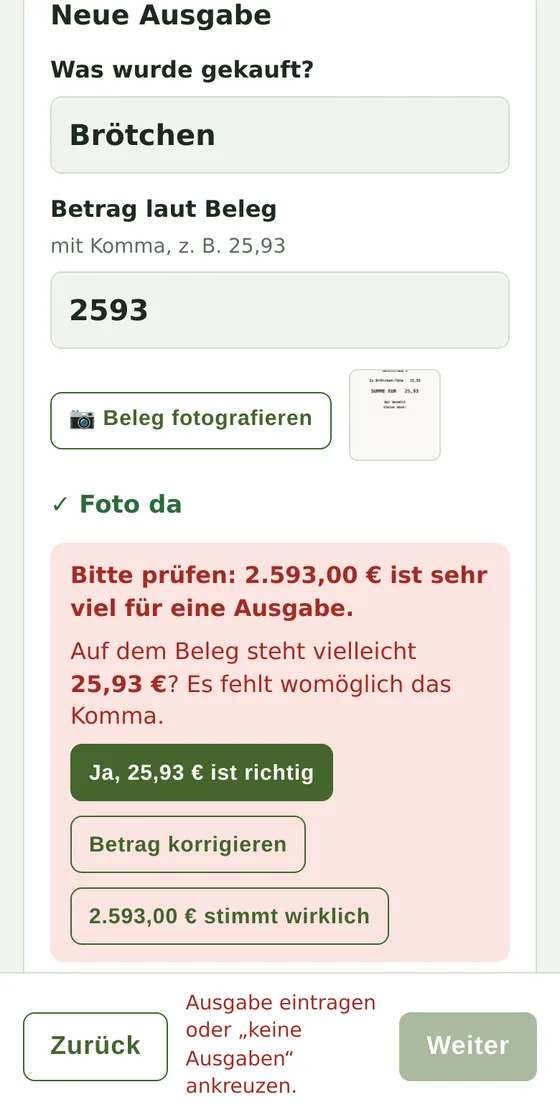
- ✓Typos in amounts"2593" instead of €25.93 is spotted and fixed with one tap.
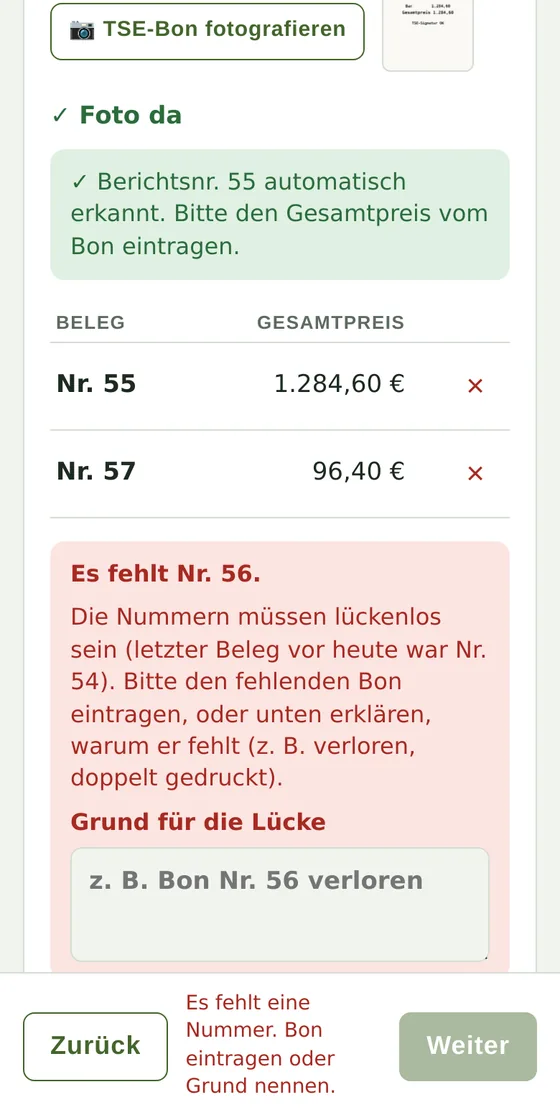
- ✓Gaps in TSE numbersIf a receipt is missing, the assistant flags it at once. No reason, no next step.
- ✓Expenses without receiptNo expense without a photo, not even afterwards.
- ✓Cash differencesFrom a €5 difference a reason is required. It then appears in the report.
- ✓Forgotten daysIf a day or market is still open, a reminder is sent automatically.
admin / admin1234 · You go straight to the assistant.
Daily closing in minutes, not hours
Try Kassenübersicht Online for free with your first register.