
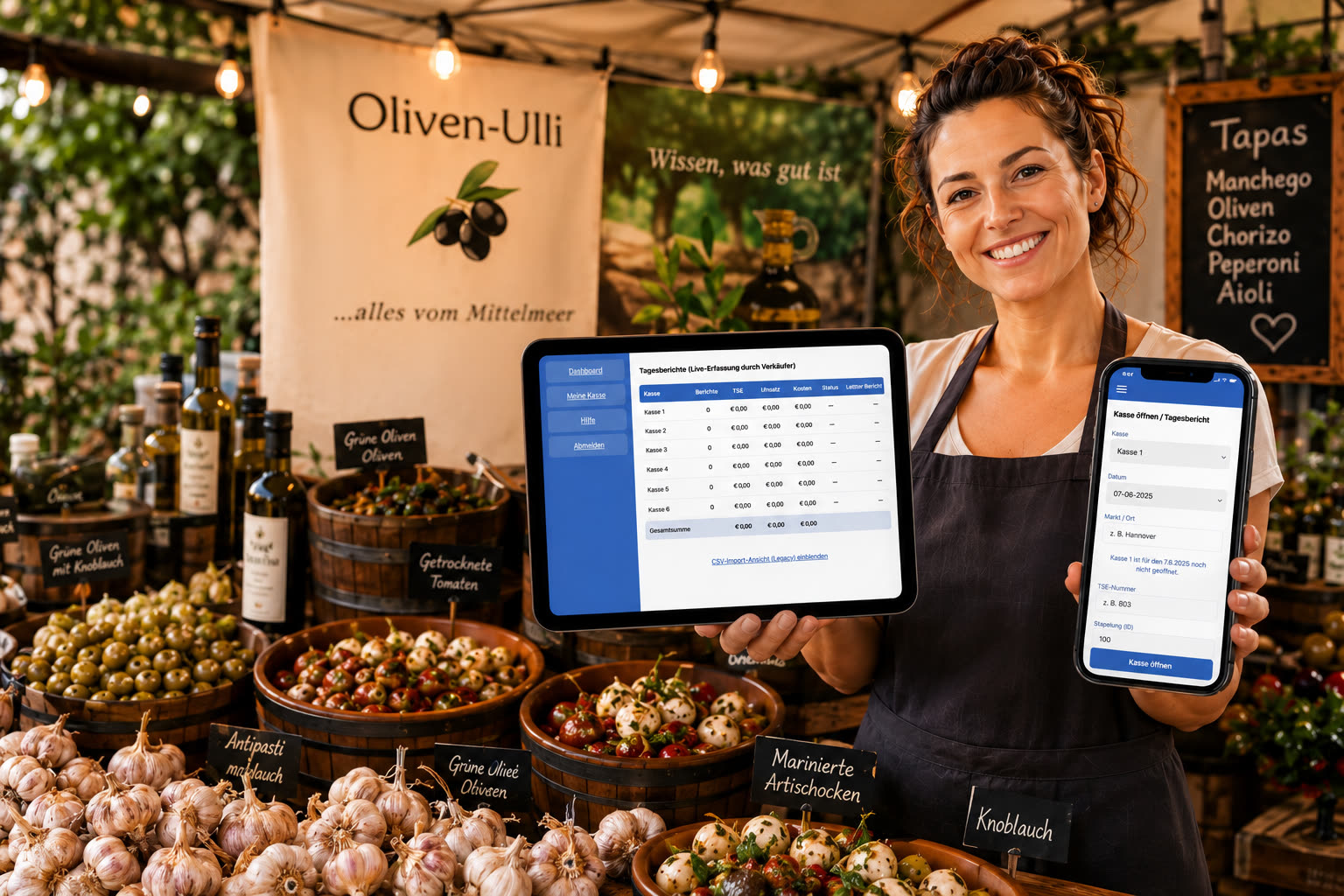
Your register. Always in view.
The modern solution for mobile market vendors, hospitality and retail.
- Simple & secure register management
- TSE-compliant & law-compliant
- Available anywhere, anytime
Demo login (valid for 1 hour, after which you can set your own password): admin / admin1234
Checking demo availability …
The daily closing that lets no mistake slip through
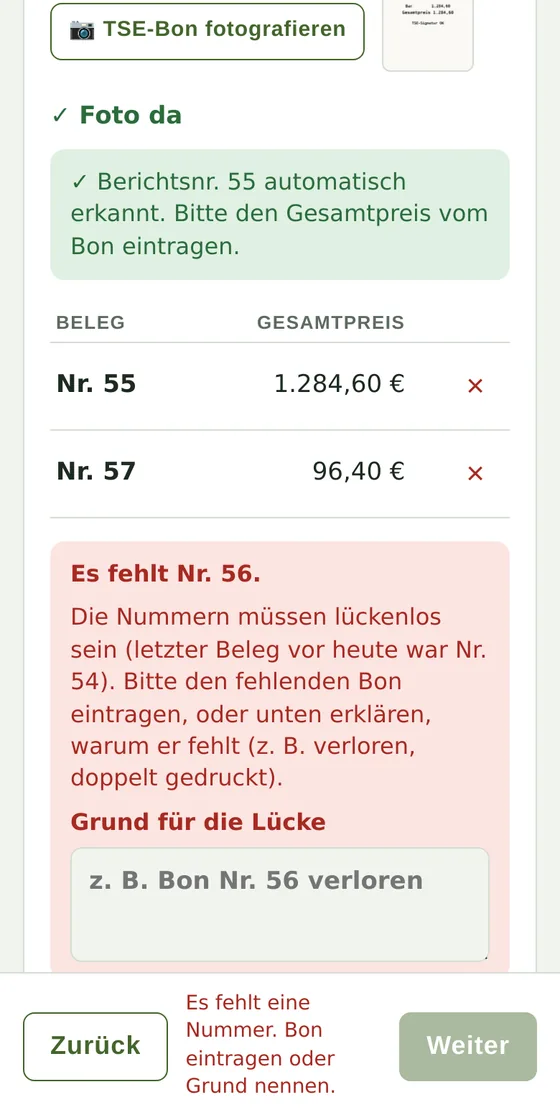
Your staff are guided through the register closing step by step on their phone. Every entry is checked instantly, and the assistant says in plain words what is still missing. No training, no paperwork.
-
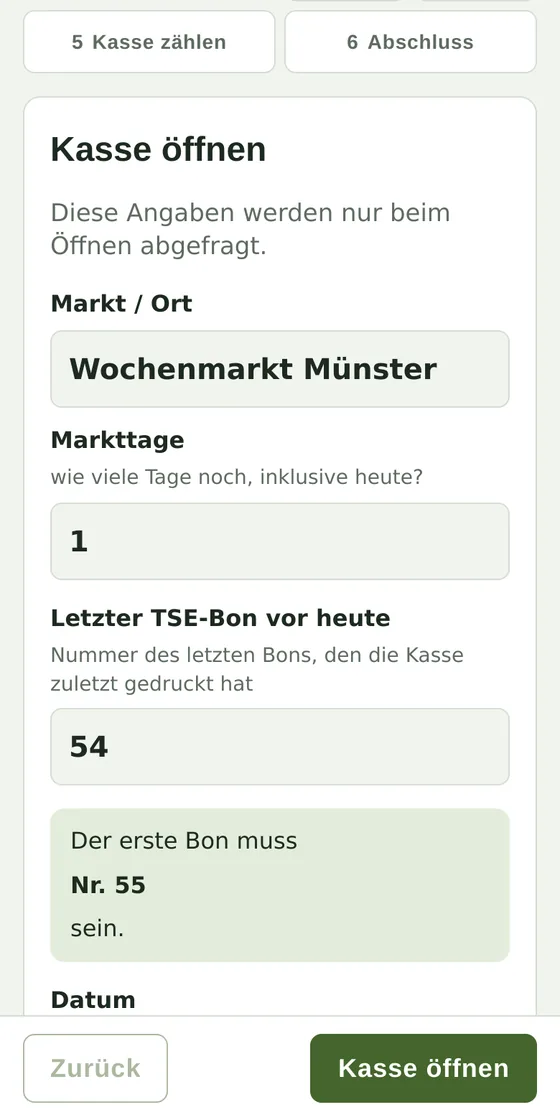
1Open the register
Market, starting cash and last TSE number: once per market.
-
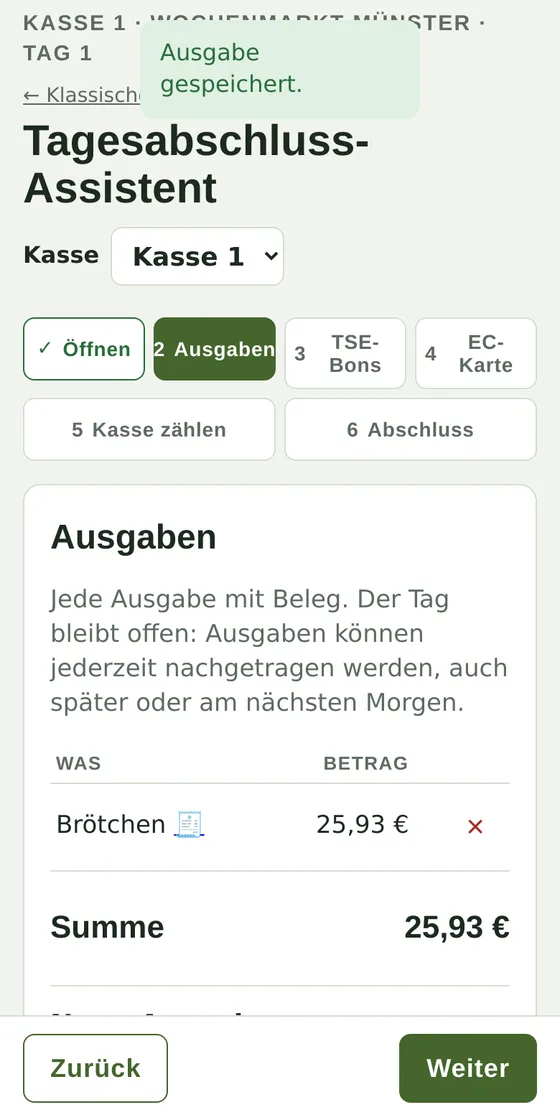
2Expenses with photo
Every expense needs a receipt photo. Add more any time.
-
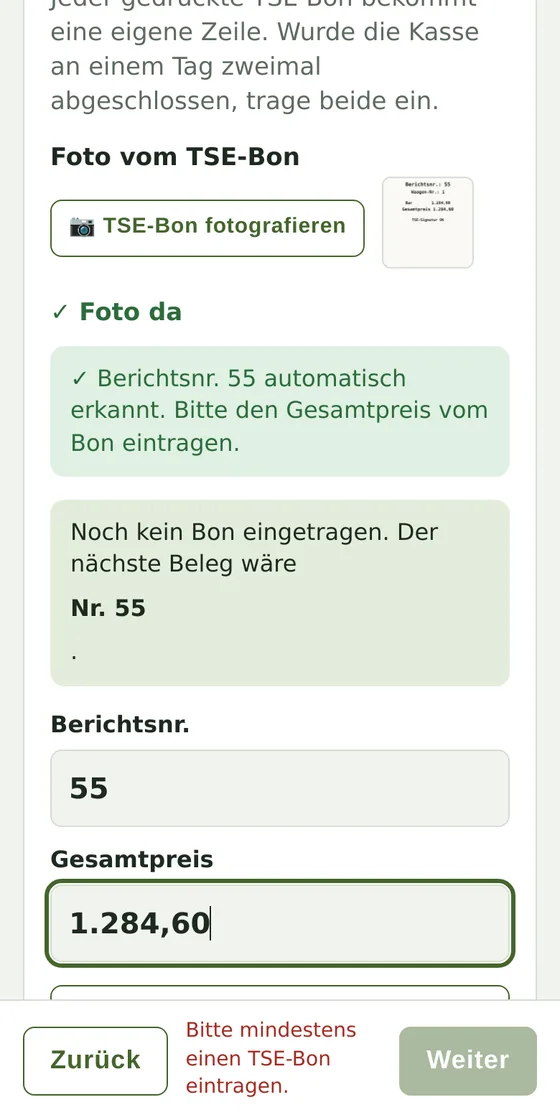
3Snap the TSE receipt
The report number is read from the photo automatically.
-
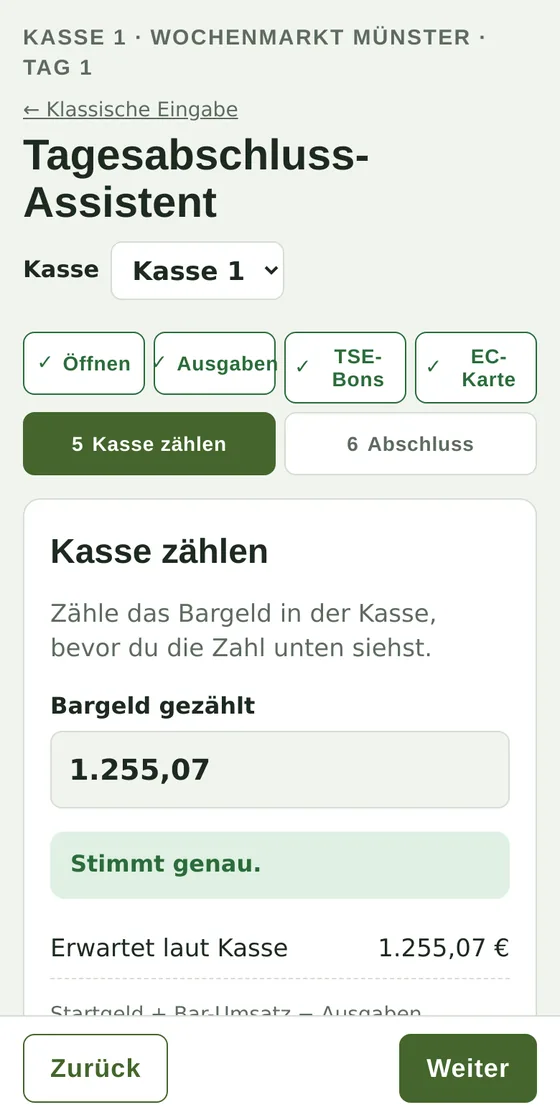
4Count the cash
Count first, then compare: you see at once whether it matches.
-
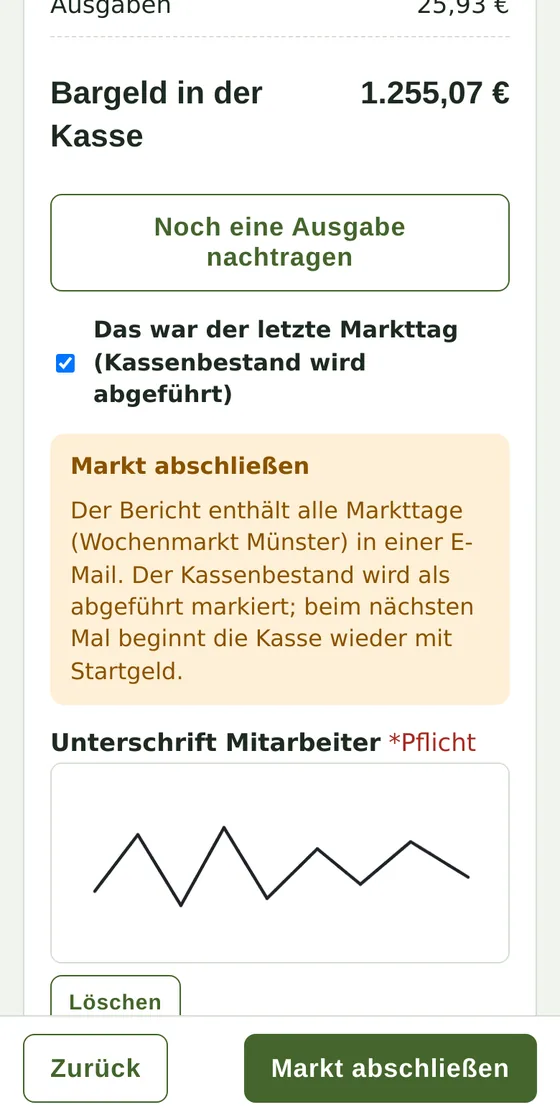
5Review & sign
Everything at a glance, signature right on the screen.
-
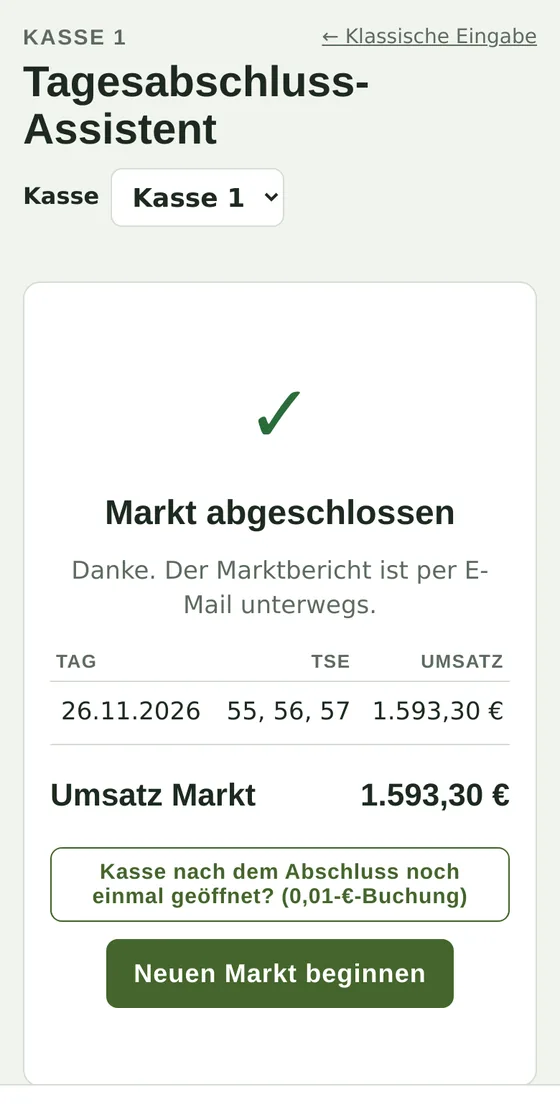
6Done
The report is emailed to your bookkeeping automatically.
← swipe to see all steps →
What can no longer go wrong
The assistant knows the typical closing mistakes and catches them before they reach your bookkeeping.
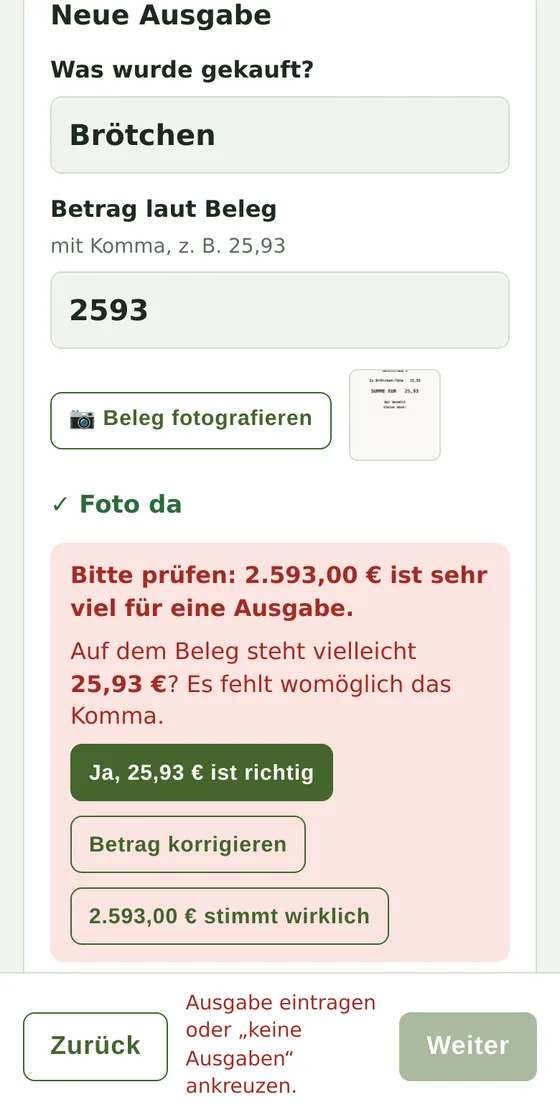
- ✓Typos in amounts"2593" instead of €25.93 is spotted and fixed with one tap.
- ✓Gaps in TSE numbersIf a receipt is missing, the assistant flags it at once. No reason, no next step.
- ✓Expenses without receiptNo expense without a photo, not even afterwards.
- ✓Cash differencesFrom a €5 difference a reason is required. It then appears in the report.
- ✓Forgotten daysIf a day or market is still open, a reminder is sent automatically.
admin / admin1234 · You go straight to the assistant.
A cash register, yes. An overview, often not.
The register itself is mandatory - but what happens afterwards with the slips, receipts and notes costs time every evening, and turns into stress by the end of the quarter. Kassenübersicht focuses exactly there: the administration around the register.
Before: paper everywhere
Starting cash, expenses and daily revenue jotted down on paper - hard to read, easy to lose, tedious to add up.
After: everything captured digitally
Every market day is recorded directly on the phone - starting cash, expenses, daily closing. Nothing gets lost anymore.
VAT filing becomes easier
Finished, formal reports per day and market run - ready to use for you or your accountant, instead of sorting through slips.
Everything a mobile till needs
From opening the register in the morning to a finished report for your accountant — Kassenübersicht covers the whole day.
Daily reporting per register
Each register opens the day with a TSE number and starting cash, tracks expenses individually throughout the day, and closes with TSE and card totals. Tomorrow's starting cash is calculated automatically.
Formal cash reports for printing
A professional, print-ready PDF layout for each day — with header details, expenses listed individually, and a “transfer to bank” summary page per market run. Ready for your accountant.
Automatic email summaries
Every time a day is closed, a clear summary email with all the figures is sent automatically — in the same layout as the printed report, for the whole market period.
Any number of registers and staff
Add registers any time your business grows. Role-based permissions cleanly separate admin and seller access - everyone sees only what they need.
Biometric login
Sign in with fingerprint or face recognition instead of typing a password — modern, secure WebAuthn technology, the same standard used by banks and major tech companies.
TSE CSV import
Import existing TSE cash register data directly and analyze it with the classic breakdown by Z-number and register - no need to switch over overnight.
Multiple markets, one overview
Every market run is tracked cleanly, including the carry-over of starting cash between days. When you move to a new market, the register automatically resets.
Flexible license management
Monthly subscription per register, cancel any time, expandable with extra registers any time — without reconfiguring your existing installation.
Up and running in three steps
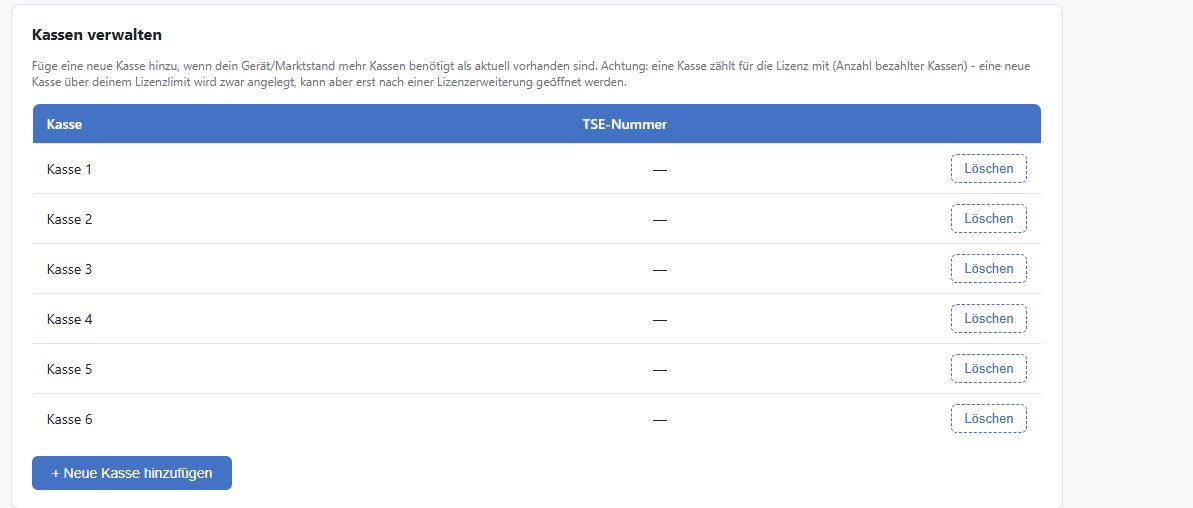
Manage your registers
Add a register for each sales spot and store its TSE number — done in a few clicks.
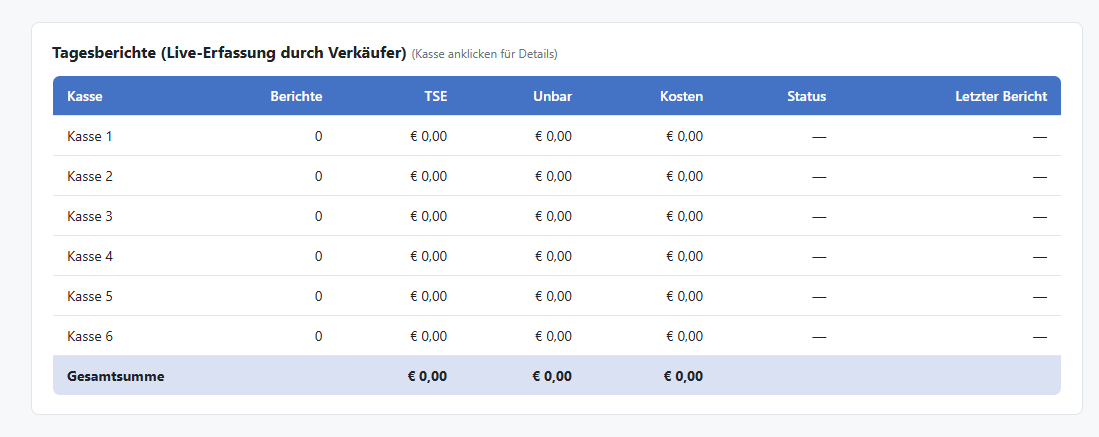
Record daily reports
Every register opens with starting cash, logs expenses through the day, and closes with the TSE and card totals.
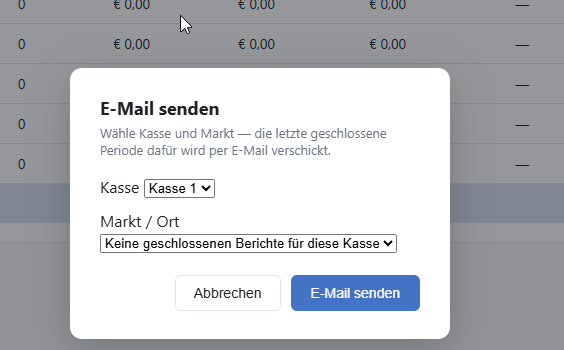
Send or print reports
Email finished PDF reports or print them directly — ready for you or your accountant.
Less effort
No more paperwork. Everything logged straight from your phone.
More overview
All registers and markets in one place.
Safely stored
Your data lives securely in the cloud, GoBD-compliant.
Available anywhere
Runs in the browser on phone, tablet, and PC.
Start once, then simply expand
The Starter Package gets you ready in a few days - including your own address and manuals. Every additional register after that is simply the yearly price.
- 1st register set up right away (billed monthly from then on, like every register)
- Direct access via app.kassenuebersicht.online with Customer Code
- German manuals for staff & admin included
- Every additional register only
- Expandable any time, monthly, cancel any time
- Secure payment via Mollie
- Invoice included automatically
- Add more registers any time
Frequently Asked Questions
Everything you need to know before starting
Ready for less paperwork?
Ready to use in minutes - set up before your next market day.